How to Download Your Free Experian Credit Report (Step-by-Step)

Most people in India are familiar with their CIBIL score. But very few people know that Experian also maintains a complete credit report for them — and you are allowed to download it free once every year.
This report contains the same type of information banks and financial institutions check before approving your loan or credit card. It shows your active and closed loans, payment history, personal details, and credit enquiries. If there is any mistake in your credit profile, this report will reveal it.
The process of getting this report may look technical at first, but when you follow the screens carefully, it is actually very simple. In this guide, you will see the exact screens in the exact order you will face while registering and downloading your Experian report.
Step 1 — Open Experian and Click “Free Credit Score”
When you visit the Experian website, you will notice a button at the top that says Free Credit Score. This is where the journey begins. Click this option to move to the registration and login area for consumers.

Step 2 — On the Login Page, Click Register
You will now reach a login screen. Since this is your first time, you do not need to log in. Instead, click Register Now.
On the next page, Experian asks for your mobile number. This number should ideally be the same number that is linked with your bank accounts and credit cards, because this is how Experian verifies your identity.
After entering the number, click Send OTP.
Step 3 — OTP Verification
An OTP will be sent to your registered mobile number. Enter this OTP and click Verify to continue.
This step confirms that the number belongs to you and allows Experian to proceed with account creation.
Step 4 — Create Your Password
You will now see a screen welcoming you to Experian D2C. At this point, you must create a password for your account.
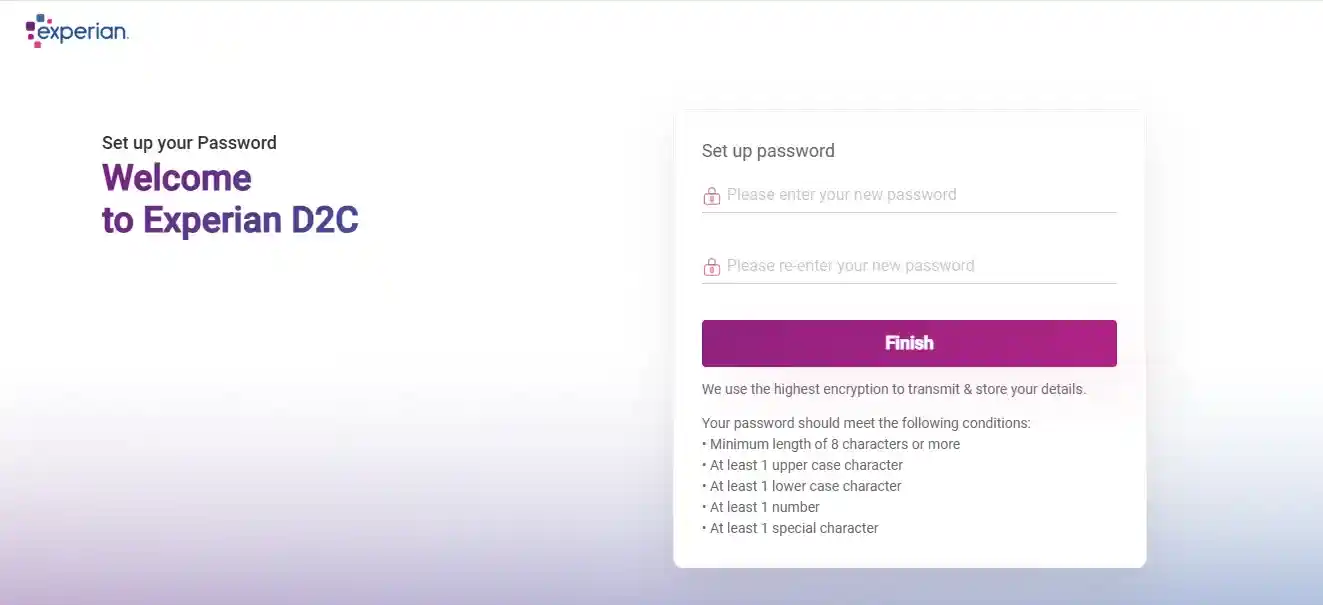
Experian clearly mentions the password rules. Make sure your password:
- Has at least 8 characters
- Contains an uppercase letter
- Contains a lowercase letter
- Contains a number
- Contains a special character
Once done, click Finish.
Step 5 — Select the Free Plan (₹0)
This step confuses many people. Experian shows two plans — one paid and one free. You do not need the paid plan to get your credit report.
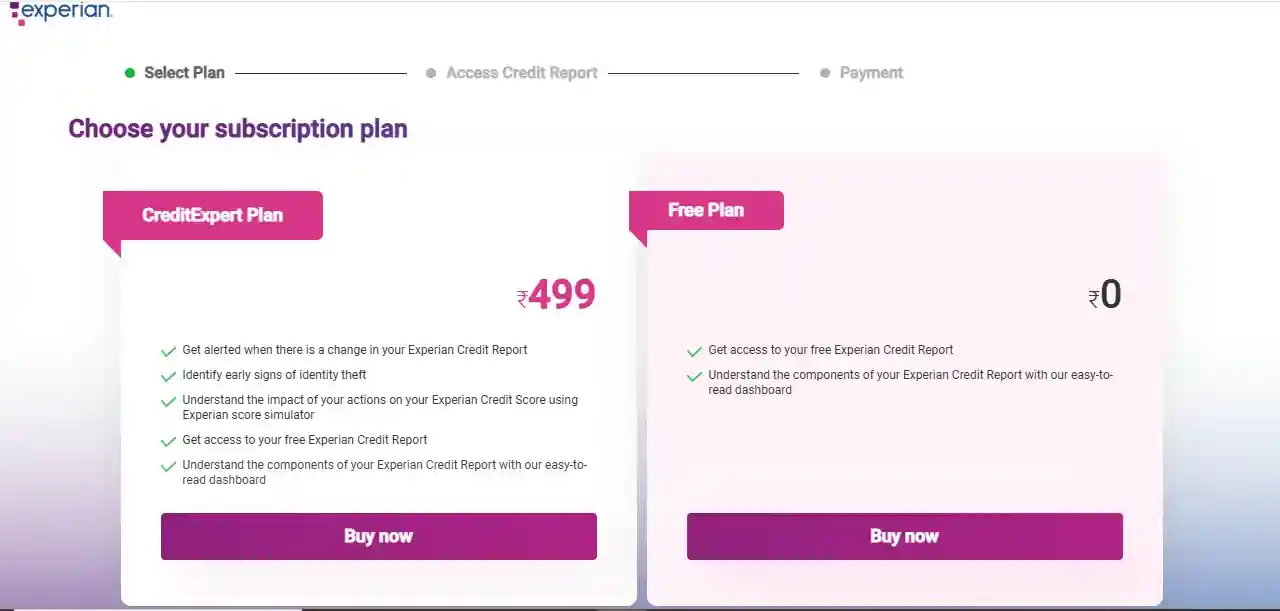
Simply choose the Free Plan (₹0).
Click Buy Now under the free plan. Despite the wording, this does not charge anything.
Step 6 — Enter Details Exactly as per Your Credit Records
Now comes the most sensitive part of the process. Experian asks you to fill in personal details that must exactly match your credit records.
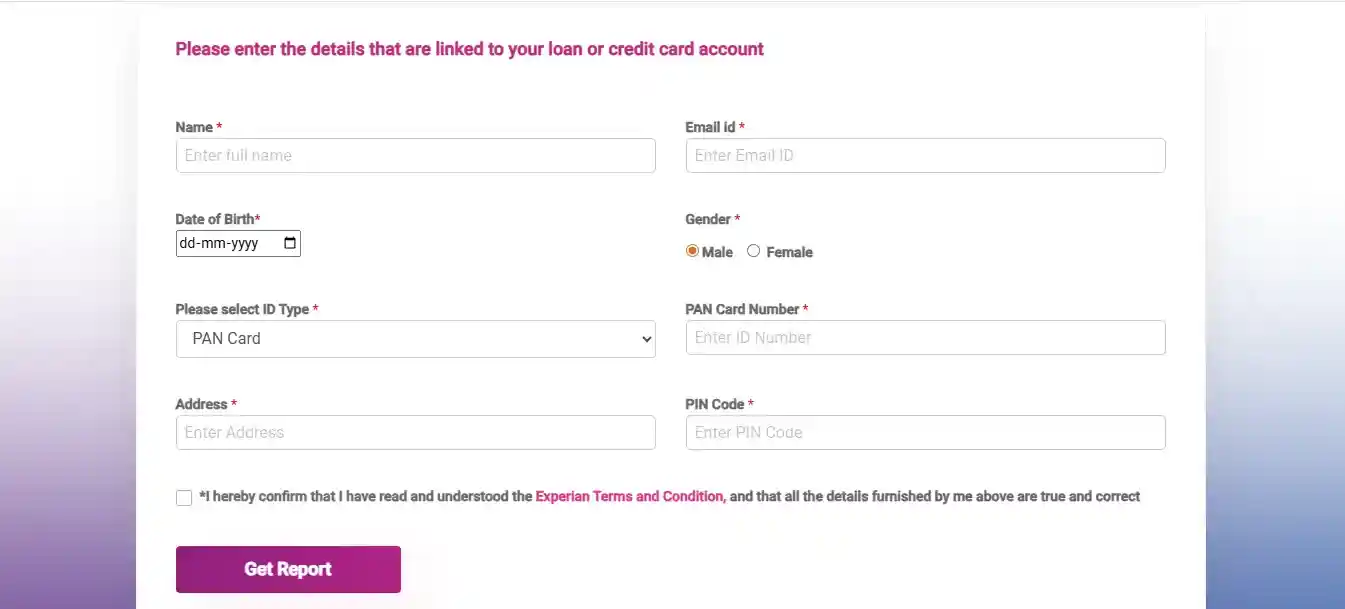
You will need to enter:
- Your full name
- Email ID
- Date of birth
- Gender
- PAN card number
- Address and PIN code
These details must match what banks have in their records. Even a small mismatch can prevent the report from opening. After filling everything carefully, tick the declaration checkbox and click Get Report.
Step 7 — You Reach the Experian Dashboard
After submitting the form, Experian verifies the information and takes you to your dashboard.
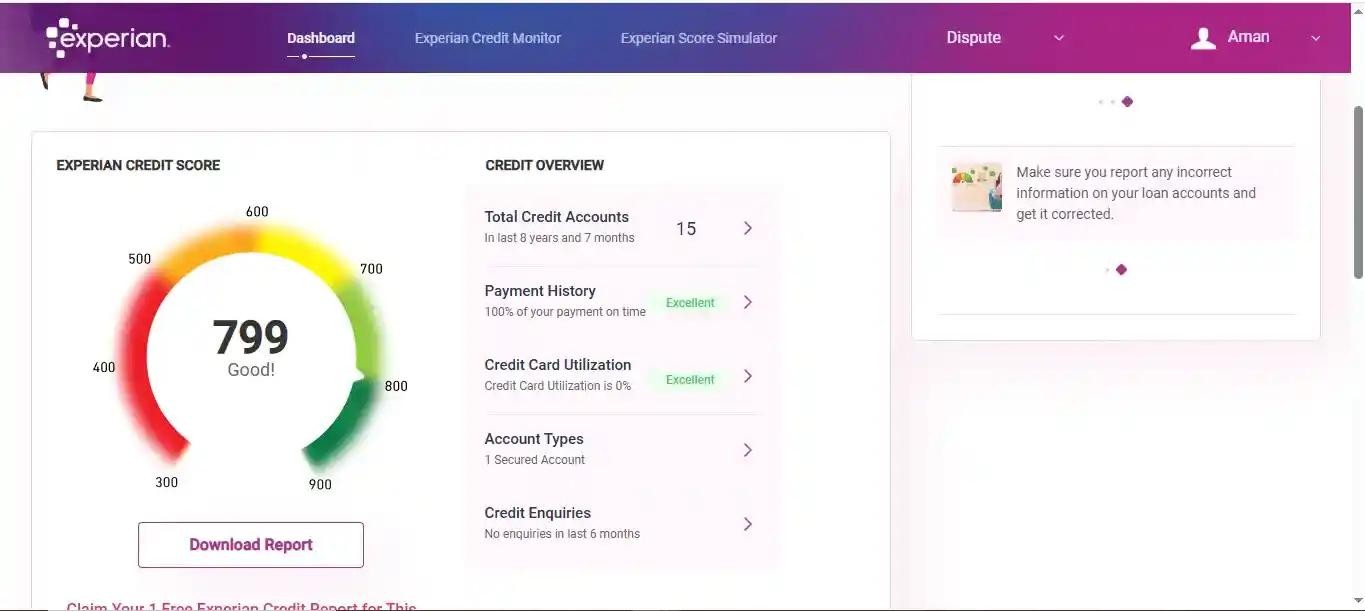
Here you can see your Experian credit score, credit summary, and an option that says Download Report.
Click this button.
Step 8 — Download the Report as PDF
When you click Download Report, the PDF file is downloaded directly to your device automatically.
You can open it from your downloads folder and save it safely for future reference.
If for any reason the download does not start, you can use your browser’s Print option or press Ctrl + P and choose Save as PDF.
If You Already Have an Experian Account
If you have registered earlier, you do not need to repeat this process. Simply log in using your mobile OTP or email and password. After verification, you will land directly on the dashboard where you can download the report.
Why Checking Your Experian Report Matters
This report shows the complete history of your credit behavior. Banks do not rely on only one bureau. They may check Experian data along with CIBIL while reviewing your application. That is why it is important to ensure there are no mistakes here.
Check Reports from All 4 Credit Bureaus
Experian is only one of India’s four credit bureaus. You are allowed to download one free report every year from each bureau.
You can find the official links to all of them here: 👉 Credit Reports
This allows you to verify your entire credit profile across CIBIL, Experian, Equifax, and CRIF High Mark in one place.
Conclusion
Downloading your Experian credit report is a simple process when you follow the screens patiently. All you need is your mobile number, PAN details, and a few minutes of careful form filling.
Once you see your report for the first time, you will understand how important it is to check this regularly. It shows exactly what lenders see — and gives you the opportunity to correct mistakes before they affect your loan approvals.
0 Comments

No comments yet. Be the first to share your thoughts!